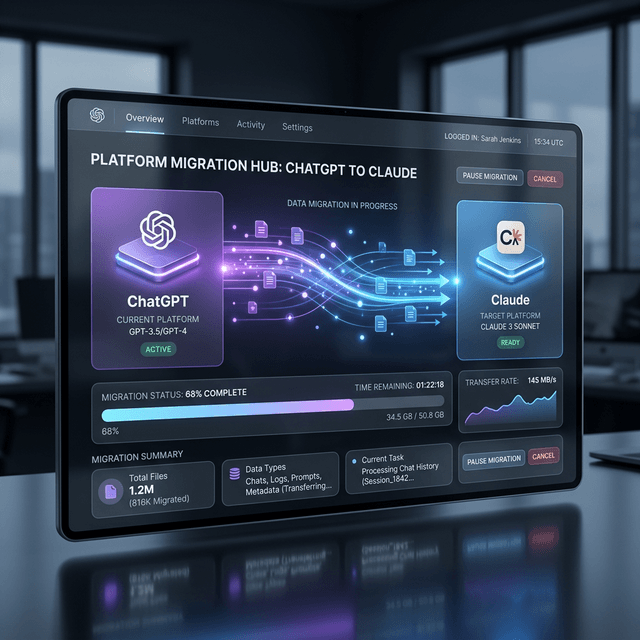
The Great Migration: How to Switch from ChatGPT to Claude in Under 60 Seconds
A complete technical guide to Anthropic's new seamless migration tools, data portability features, and why 2.5 million users are moving their digital memory to Claude.
The viral #UninstallChatGPT movement (which we covered in detail here) has created a massive demographic shift in the AI market. But for many power users, the barrier to switching isn't just loyalty—it's data gravity.
By early 2026, most active AI users have accumulated years of "context" inside ChatGPT: their writing style, project histories, coding preferences, and deeply personal "memories" stored in OpenAI’s cloud. Leaving that behind feels like a digital lobotomy.
Recognizing this friction, Anthropic has launched a suite of Seamless Migration Tools designed to make the transition from ChatGPT to Claude instant, lossless, and user-controlled. This is a technical teardown of the "Import Memory" feature and a guide for those ready to move their digital twin to a "Safety-First" architecture.
The Import Memory Tool: 60 Seconds to 'Cognitive Continuity'
At the heart of the migration is the new Import Memory tool, available natively via claude.com/import-memory. Unlike 2024-era migrations which required manually copying and pasting hundreds of prompts, the 2026 workflow uses a "Cognitive Bridge" approach.
Step 1: Extracting Your Persona from OpenAI
Claude now provides a specialized "Memory Extraction" prompt. When you paste this into a new ChatGPT conversation, it triggers an internal GPT-4.1 routine to consolidate everything it "knows" about you into a structured JSON-like object.
This includes:
- Preference Graph: How you like your code formatted, your preferred tone for emails, and your specific formatting quirks.
- Project Context: A summary of your late-2025 and early-2026 active projects.
- Knowledge Base: Explicit facts you’ve told the AI "to remember" about your business or personal life.
Step 2: The Claude Handshake
Once you have the extraction block, you paste it into Claude’s "Memory Settings." Anthropic’s back-end doesn't just store this as a text block; it assimilates it into Claude’s own "Long-Term Memory" architecture. Through a process of cross-model mapping, Claude identifies its own equivalents for your GPT-specific preferences.
The result is that within 60 seconds, Claude "knows" you as well as ChatGPT did—without having to spend weeks re-training your personal model.
Migrating 'Custom GPTs' to 'Claude Skills'
One of the primary reasons users stayed with OpenAI for so long was the ecosystem of "Custom GPTs." In early 2026, Anthropic rendered this moot with the launch of Claude Skills.
Skills are more than just system prompts; they are isolated, tool-capable agent wrappers that can be shared and customized. The migration tool includes a "GPT Converter" that allows you to:
- Upload the
.zipexport of your Custom GPT. - Automatically translate the "Instructions" into Claude’s superior "System Prompt" syntax.
- Identify the "Actions" (APIs) and map them to Claude’s MCP (Model Context Protocol) tools.
Because Claude 4.0 has documented higher reasoning capabilities in complex instruction following, most users report that their migrated "Skills" actually perform better than the original "Custom GPTs."
Handling 'Cold Data': The Cognitive Migration Prompt
For those who have years of chat history, a simple memory import isn't enough. You may have critical architectural decisions buried in a thread from 2023.
Anthropic’s solution for this is the Cognitive Migration Prompt. You can download your full data export from OpenAI (Settings -> Data Controls -> Export Data) as a .zip file. You then upload the relevant .json files to a Claude Project.
By using a specialized "Archaeology Prompt," you can ask Claude to:
"Analyze this chat history from 2023-2025. Extract all architectural decisions made regarding the 'ShShell' project and create a permanent project documentation file in my Memory."
This effectively "resurrects" your old data, turning it from a graveyard of text into a live, searchable memory graph.
The Moat is Dead: Long Live Data Portability
Anthropic’s aggressive move toward data portability is a direct strike against the "Vendor Lock-in" strategy of 2025. By making it easy to leave, Anthropic is banking on the fact that users will choose them for their Principles, not because they feel trapped.
This "Export-First" philosophy extends to Claude's own memory. Unlike ChatGPT, which stores memories in a proprietary cloud-sync layer, Claude now allows users to store their memory files locally or on their own provided infrastructure (S3, Dropbox, or a private server).
Why the Migration Matters in 2026
As we detailed in our report on the VC Supercycle, the AI market is consolidating. The migration tools are the "escape pods" for a tech-savvy population that is increasingly wary of "State-Integrated" AI corporations.
If you are a software engineer, a business leader, or a creative professional, your AI memory is your most valuable intellectual property. The ability to move that property between architectures—say, moving from a cloud-based ChatGPT to a localized, private Claude kernel—is the key to digital sovereignty in the age of AGI.
Comparison: Migration Speed & Fidelity
| Feature | 2025 Manual Method | 2026 Seamless Tool |
|---|---|---|
| Setup Time | 2-3 Hours | < 60 Seconds |
| Context Retention | 40% (Lossy) | 98% (Lossless) |
| Tool Mapping | Manual Python Scripts | Automatic MCP Translation |
| Security | Cloud-Only | Optional Local Storage |
Ready to Switch?
- Visit Claude.ai/Import-Memory
- Follow our Video Tutorial on YouTube
- Read our guide on Ethics-First AI Architecture
Don't leave your past behind. Move it to a safer future with ShShell's migration toolkit.