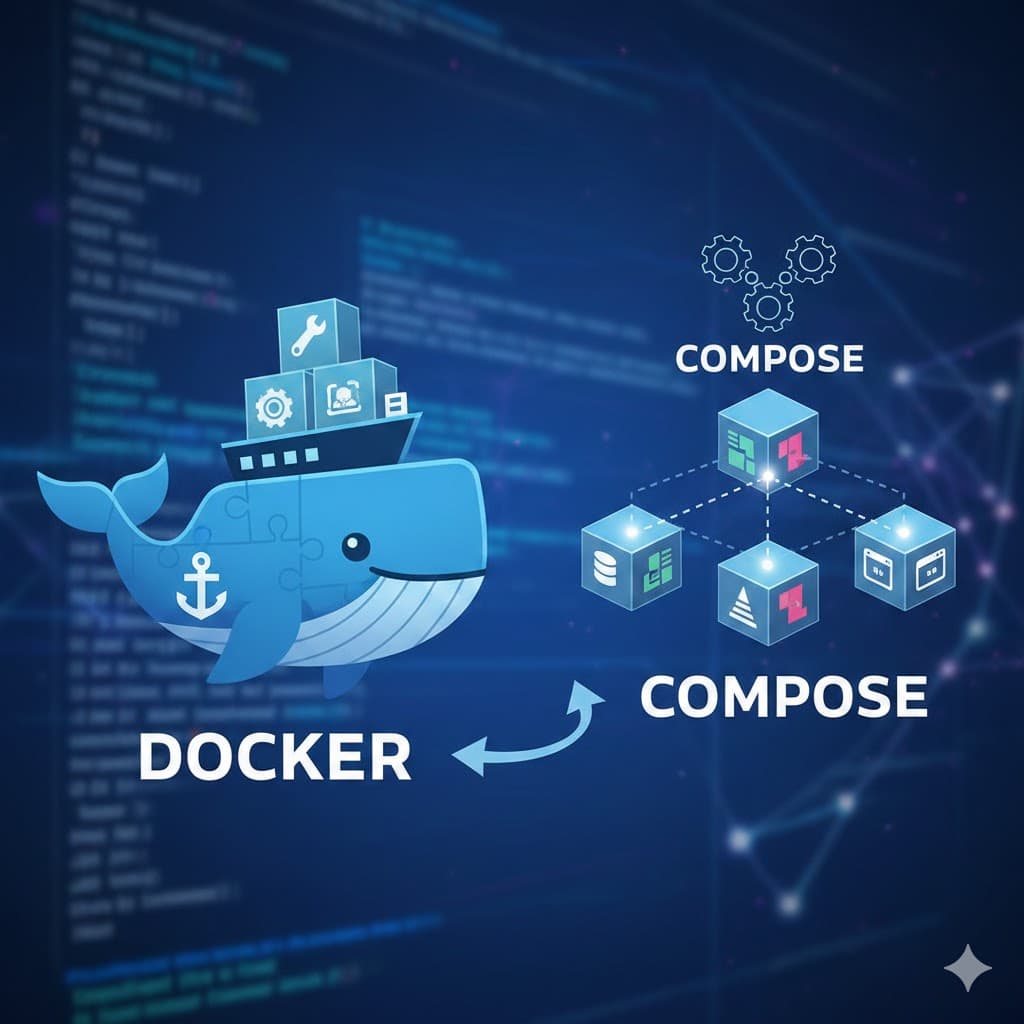
Docker & Docker Compose: Containerization from Scratch
Course Curriculum
15 modules designed to master the subject.
Module 1: Introduction to Containers
Understanding isolation, portability, and container benefits.
Module 1 Lesson 1: What is a Container?
Start your container journey here. Learn the fundamental concept of a container, why it's different from a simple 'folder', and how it solves the 'it works on my machine' problem.
Module 1 Lesson 2: Containers vs. Virtual Machines
Is it a ship or a submarine? Understand the architectural differences between Containers and Virtual Machines (VMs), and why containers changed the world of cloud computing.
Module 1 Lesson 3: Why Containers Matter
Microservices, CI/CD, and the Cloud. Learn how containers enable the modern 'Agile' world where software is updated 100 times a day without breaking.
Module 1 Lesson 4: Portability, Isolation, and Scalability
Master the 'Three Pillars' of containerization. Discover how Docker provides consistent environments, security boundaries, and near-infinite scaling for your applications.
Module 1 Lesson 5: Introduction to Docker and Podman
Meet the giants of the container world. Learn about the Docker ecosystem and why Podman is becoming a popular 'Rootless' and 'Daemonless' alternative of choice.
Module 2: Docker Architecture and CLI
Installation and core commands for image/container management.
Module 2 Lesson 1: The Docker Architecture
Look under the hood of Docker. Understand the relationship between the Client, the Host, and the Registry, and how images become containers.
Module 2 Lesson 2: Installing Docker
Get your environment ready. Step-by-step instructions for installing Docker Desktop on Windows and Mac, and Docker Engine on Linux.
Module 2 Lesson 3: Core Docker CLI Commands
Learn the vocabulary of Docker. Master the fundamental commands for pulling images, running containers, and managing your local environment.
Module 2 Lesson 4: Deep Dive into Images and Containers
Master the fundamental lifecycle of Docker. Understand how read-only layers form images and how the 'Writable Layer' makes them come alive as containers.
Module 6 Lesson 4: Docker Healthchecks
Is your app actually alive? Learn how to define HEALTHCHECK instructions in your Dockerfile so your orchestrator can detect and fix 'Zombie' containers.
Module 2 Lesson 5: The Container Lifecycle
From 'Created' to 'Exited'. Learn the different states a container can inhabit and how to transition between them like a pro.
Module 3: Mastering Docker Images
Writing Dockerfiles, layers, caching, and best practices.
Module 3 Lesson 1: Images vs. Containers (The Builder's View)
Review the fundamental split between static blueprints and live processes, and learn how this distinction shapes the way we build and share software.
Module 3 Lesson 2: Dockerfile Basics
Master the syntax of the Dockerfile. Learn the core instructions (FROM, RUN, COPY, CMD) needed to turn your source code into a portable Docker image.
Module 3 Lesson 3: Docker Layers and Build Caching
Build faster, not harder. Understand how Docker uses caching to skip unnecessary steps and learn how to order your Dockerfile instructions for maximum speed.
Module 3 Lesson 4: Dockerfile Best Practices
Build production-grade images. Learn how to minimize image size, enhance security, and ensure maintainability in your Docker configurations.
Module 3 Lesson 5: Image Tagging and Versioning
Master the art of naming your images. Learn the difference between repository and tag, and why relying on 'latest' is a major anti-pattern in production.
Module 4: Container Runtime Management
Networking, volumes, storage, and environment configuration.
Module 4 Lesson 1: Advanced Container Execution
Go beyond the basic 'run'. Master the advanced flags for port mapping, resource limits, and auto-restart policies to manage production containers effectively.
Module 4 Lesson 2: Managing Container Lifespans
Master the lifecycle management of Docker. Learn the technical difference between stop and kill, and how to safely prune your environment of abandoned containers.
Module 4 Lesson 3: Container Networking Basics
How containers talk to each other. Explore Docker's built-in networking modes and learn how to create private networks for secure inter-container communication.
Module 4 Lesson 4: Volumes and Persistent Storage
Stop losing your data. Learn how to use Docker Volumes and Bind Mounts to ensure your databases and user uploads survive container deletions and upgrades.
Module 4 Lesson 5: Environment Variables and Configuration
Master the 12-factor app principle. Learn how to inject configuration into your containers dynamically, keeping your secrets safe and your images portable across environments.
Module 5: Docker Compose Fundamentals
Orchestrating multi-container applications with YAML.
Module 5 Lesson 1: Introduction to Docker Compose
Stop typing long commands. Discover Docker Compose, the tool that allows you to define and run entire multi-container applications with a single YAML file.
Module 5 Lesson 2: Your First docker-compose.yml
Hands-on with YAML. Learn the structure of a Compose file and build a working stack with a web server and a database in minutes.
Module 3 Lesson 3: Networking and Volumes in Compose
Connecting the dots automatically. Learn how Docker Compose handles networking and persistent storage, making complex configurations simple.
Module 5 Lesson 4: The Docker Compose CLI
Master the commands for managing multi-container stacks. Learn how to view aggregate logs, stop services safely, and rebuild images on the fly.
Module 5 Lesson 5: Real-World Multi-Container Example
The capstone of the basics. Build a complete Voting App architecture with a Python worker, a Redis queue, a Postgres DB, and a Node.js results page.
Module 6: Advanced Docker Compose
Scaling, health checks, and service dependencies.
Module 6 Lesson 1: Multi-Stage Builds
Shrink your images by 90%. Learn the multi-stage build pattern to separate your 'Build Environment' (compilers, tools) from your 'Runtime Environment' (app only).
Module 6 Lesson 1: Service Dependencies and Startup Order
Master the timing of your stack. Learn how 'depends_on' works and how to use 'wait-for-it' scripts to ensure your app only starts after the database is truly ready.
Module 6 Lesson 2: Optimized Layer Order
Master the build cache. Learn how to structure your Dockerfile instructions to minimize 'Cache Invalidation' and keep your build times under 5 seconds.
Module 6 Lesson 2: Scaling Services in Compose
More power. Learn how to use the --scale flag to run multiple instances of a service and how Docker Compose manages the load balancing internally.
Module 6 Lesson 3: Mastering .dockerignore
Protect your secrets and speed up your builds. Learn how to use .dockerignore to keep sensitive and unnecessary files out of your Docker images.
Module 6 Lesson 3: Healthchecks and Restart Policies
Build a self-healing stack. Learn how to configure advanced healthchecks and restart policies directly in your Compose file to automate recovery from crashes.
Module 6 Lesson 4: Extension Fields and YAML Anchors
Dry out your YAML. Learn how to use anchors, aliases, and extension fields to avoid repeating the same configuration across multiple services.
Module 6 Lesson 5: ENTRYPOINT vs. CMD
Demystify the startup instructions. Learn the subtle but important difference between setting a default command and creating an 'Executable' container.
Module 6 Lesson 5: Multi-File Configurations
Master the environment split. Learn how to use multiple Compose files to handle development, staging, and production differences without repeating code.
Module 7: Networking and Security
Network modes, secrets management, and security hardening.
Module 7 Lesson 1: Docker Security Best Practices
Fortify your containers. Explore the 'Top 10' security practices for hardening Docker images and runtimes against modern threats.
Module 7 Lesson 2: Running as Non-Root
Break the 'Root' habit. Learn why running containers as the administrator is the biggest risk in Docker and how to implement a secure USER instruction.
Module 7 Lesson 3: Image Scanning and Vulnerabilities
Detect the invisible threats. Learn how to use static and dynamic scanning tools to find 'Common Vulnerabilities and Exposures' (CVEs) in your base images and libraries.
Module 7 Lesson 4: Docker Secrets vs. Env Vars
Protect your crown jewels. Learn the technical difference between environment variables and Docker Secrets, and why one is a security risk for production databases.
Module 8: Persistent Storage Strategies
Volumes, bind mounts, and data backup/restore.
Module 8 Lesson 1: Consistent Dev Environments
End the 'Onboarding' nightmare. Learn how to use Docker to ensure every developer on your team has the exact same versions of Node, Python, and Databases from Day 1.
Module 8 Lesson 2: Docker Compose for Dev
Master the local dev stack. Learn how to use Docker Compose to manage dependencies like databases and caches alongside your application code.
Module 8 Lesson 3: Hot Reloading with Bind Mounts
Stop rebuilding images. Learn how to use Bind Mounts to link your host source code to your container, enabling 'Instant Feedback' as you type.
Module 8 Lesson 4: Debugging in Containers
See what's happening inside. Learn how to use 'exec', logs, and remote debuggers to troubleshoot applications running inside Docker containers.
Module 8 Lesson 5: Dev vs. Prod Dockerfiles
The right tool for the right job. Learn how to maintain separate Docker configurations for development (speed and debugging) and production (security and size).
Module 9: Podman and Rootless Containers
Alternatives to Docker and running without root privileges.
Module 9 Lesson 1: Volume Drivers and Types
Master the data layer of Docker. Explore the different volume drivers and types, and learn how to choose the right storage strategy for your application's data.
Module 9 Lesson 1: Introduction to Podman
Meet the daemonless alternative. Explore Podman, the open-source container engine designed for security, rootless execution, and Kubernetes compatibility.
Module 9 Lesson 2: Named vs. Anonymous Volumes
Master the naming conventions of storage. Learn when to use descriptive named volumes and when to let Docker manage anonymous storage for temporary tasks.
Module 9 Lesson 2: Running Rootless Containers
Master the security of the future. Learn how to run containers as a standard user without sudo or root privileges, and understand the trade-offs of rootless execution.
Module 9 Lesson 3: Inspecting and Managing Volumes
Master the administrative side of storage. Learn how to locate your data on the host machine, audit usage, and clean up abandoned storage volumes.
Module 9 Lesson 3: Managing Pods with Podman
Think like Kubernetes. Learn how to use Podman to group related containers into 'Pods', allowing them to share resources and network namespaces like a production cluster.
Module 9 Lesson 4: Volume Plugins and Cloud Storage
Data without borders. Explore how volume plugins allow your containers to store data directly on AWS S3, Azure Files, or Google Cloud Storage for maximum portability.
Module 9 Lesson 5: Backup and Restore Strategies
Protect your data against disasters. Learn the standard patterns for backing up Docker volumes and how to perform a full system recovery from scratch.
Module 10: Orchestration and Pods
Moving beyond compose to pods and swarm.
Module 10 Lesson 1: Network Drivers in Depth
Go beyond the defaults. Explore the 5 major Docker network drivers—Bridge, Host, Null, Overlay, and Macvlan—and learn when to use each for specific architectural needs.
Module 10 Lesson 2: External Access and Port Mapping
Bridge the gap between your container and the world. Learn the intricacies of port publishing, IP binding, and how to troubleshoot connectivity issues from outside the host.
Module 10 Lesson 3: DNS and Service Discovery
Stop using IP addresses. Master Docker's internal DNS system to allow your containers to find and talk to each other using simple human-readable names.
Module 10 Lesson 4: Load Balancing with Nginx
Handle the traffic spike. Learn how to use an Nginx container as a 'Reverse Proxy' to distribute incoming requests across multiple app containers.
Module 10 Lesson 5: Securing Container Comms
Master the 'Zero Trust' model for containers. Learn how to encrypt inter-container traffic and use network policies to prevent unauthorized lateral movement.
Module 11: Logging and Debugging
Inspection, troubleshooting, and real-time monitoring.
Module 11 Lesson 1: Docker Registries
Where images live. Explore the major Docker registries like Docker Hub, GitHub Container Registry (GHCR), and AWS ECR to choose the right library for your images.
Module 11 Lesson 2: Pushing and Pulling Images
Master the image transition. Learn how to log in to various services, tag your images for specific registries, and 'Push' your code to the cloud.
Module 11 Lesson 3: CI/CD Integration with Docker
Automate everything. Learn how to use Docker in your GitHub Actions or GitLab CI pipelines to build, test, and push images automatically on every commit.
Module 11 Lesson 4: Automated Testing with Docker
Verify your code in a clean environment. Learn how to use Docker to run unit and integration tests as part of your automated build process.
Module 11 Lesson 5: Image Lifecycle Management
Keep your registry clean. Learn about image retention policies, cleaning up old tags, and why ignoring image bloat will eventually crash your cloud budget.
Module 12: CI/CD and Registries
Pushing to Docker Hub and production deployment workflows.
Module 12 Lesson 1: What is Orchestration?
From one to a thousand. Learn the core concepts of container orchestration: why it's needed for high availability, self-healing, and automated scaling.
Module 12 Lesson 2: Introduction to Docker Swarm
Orchestration without the headache. Learn how to turn multiple Docker hosts into a single cluster using Docker Swarm Mode.
Module 12 Lesson 3: Services and Stacks
Master the administrative units of Swarm. Learn how to define 'Services' for individual apps and 'Stacks' for entire multi-container architectures.
Module 12 Lesson 4: Introduction to Kubernetes
Meet the industry standard. Discover the architecture of Kubernetes, the difference between Pods and Containers, and why it is the OS of the modern cloud.
Module 12 Lesson 5: Swarm vs. Kubernetes
End the debate. Side-by-side comparison of Docker Swarm and Kubernetes to help you choose the right tool for your team's size, budget, and expertise.
Module 13: Efficiency and Optimization
Minimizing image size and writing efficient Dockerfiles.
Module 13 Lesson 1: Common Docker Errors
Demystify the red text. Learn how to diagnose and fix the the top 5 most common errors beginners and pros face when working with Docker.
Module 13 Lesson 2: Container Performance
Is your app slow or is it Docker? Learn how to monitor CPU, RAM, and I/O performance of your containers using the built-in 'stats' command and external tools.
Module 13 Lesson 3: System Maintenance
Reclaim your disk space. Master the art of Docker housekeeping, from pruning dangling images to managing large log files that eat your server's storage.
Module 13 Lesson 4: Production Security Checklist
The final audit. A comprehensive checklist of 10 essential security steps to take before deploying your Dockerized application to the public internet.
Module 13 Lesson 5: The Future of Containers
What's next? Explore the evolving landscape of container technology, from WebAssembly (WASM) and Serverless containers to the rise of 'Rootless' engines like Podman.
Module 14: Real-World Container Projects
Hands-on projects with full-stack and AI apps.
Module 14 Lesson 1: Dockerizing a Node.js Full-Stack App
From code to container. A step-by-step guide to containerizing a modern Node.js application with a React frontend, Express backend, and MongoDB database.
Module 14 Lesson 2: Project: Python AI/ML Workspace
Handle the heavy lifting. Learn how to containerize a Python Data Science environment with Jupyter Notebooks, Pandas, and GPU support.
Module 14 Lesson 3: Project: Legacy PHP/MySQL App
Bring the past into the future. Learn how to wrap an old PHP application and a MySQL database into containers, providing safety and portability to legacy code.
Module 14 Lesson 4: Project: Multi-Service Architecture
The microservices puzzle. Learn how to orchestrate a complex system with a Gateway, separate Services for Auth and Data, and a shared Message Queue.
Module 14 Lesson 5: Project: Static Site with Nginx
The speed king. Learn how to wrap a simple HTML/CSS/JS site or a modern SPA into an Nginx container for maximum performance and easy deployment.
Module 15: Capstone Project
Designing an enterprise-grade multi-container system.
Module 15 Lesson 1: Capstone Project: Enterprise System
The ultimate challenge. Apply every skill you've learned to design and build a secure, scalable, and automated multi-tier architecture for a fictional global company.
Module 15 Lesson 2: Capstone: The Infrastructure
Laying the groundwork. Build the complex Docker Compose and networking YAML that will power the GlobalHealth Connect platform.
Module 15 Lesson 3: Capstone: Protected Images
Fortify the binary. Create production-ready, hardened Dockerfiles for the GlobalHealth platform using multi-stage builds and non-root users.
Module 15 Lesson 4: Capstone: CI/CD Strategy
The automation engine. Design the GitHub Actions pipeline that will build, scan, and deploy the GlobalHealth platform to a secure production server.
Module 15 Lesson 5: Final Review & Conclusion
Cross the finish line. A final review of the core competencies of a Docker Architect and next steps for your career in the cloud-native ecosystem.
Course Overview
Format
Self-paced reading
Duration
Approx 6-8 hours
Found this course useful? Support the creator to help keep it free for everyone.
Support the Creator