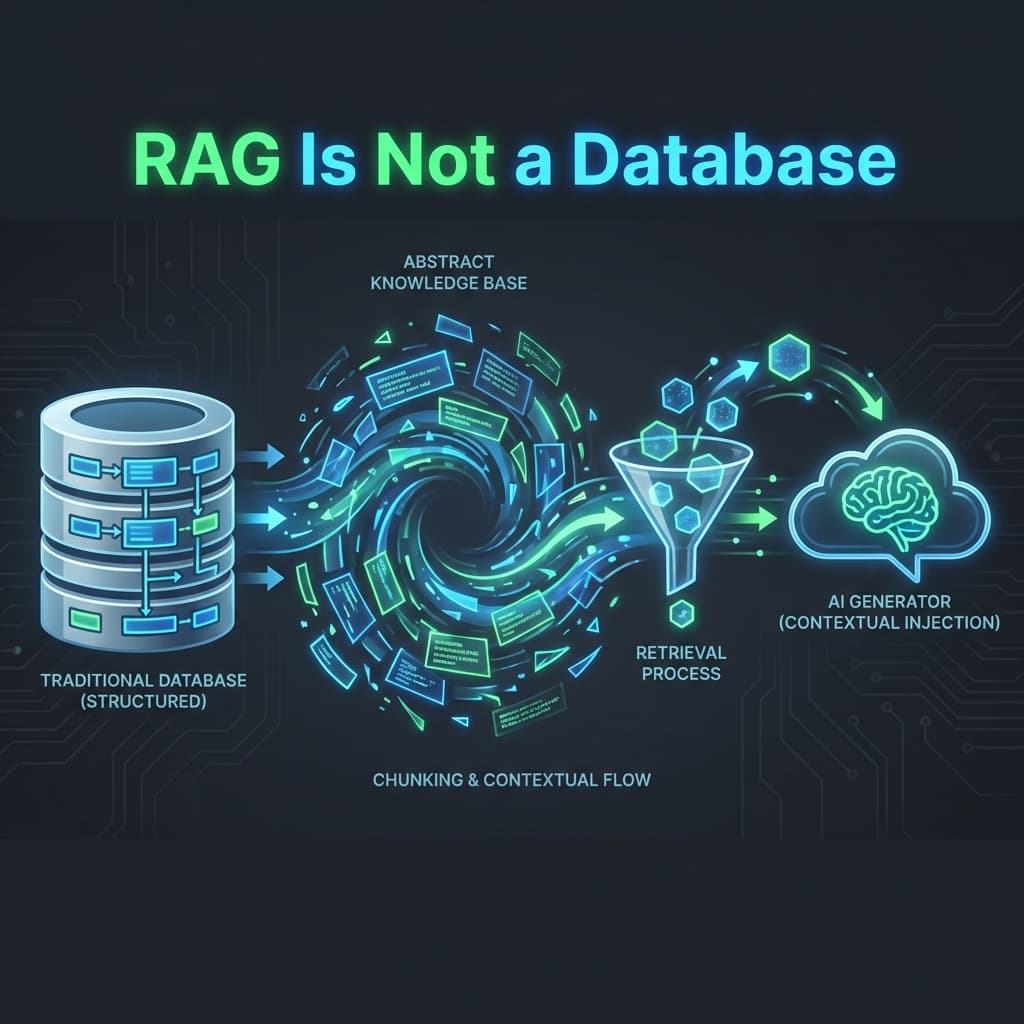
RAG Is Not a Database: Common Retrieval-Augmented Gen Mistakes (and How to Fix Them)
Building a RAG system that works in production is harder than it looks. Avoid common mistakes like bad chunking and missing metadata by understanding that RAG is a dynamic system, not just a static database.
If you’ve spent five minutes in the AI space, you’ve heard of RAG (Retrieval-Augmented Generation). It’s the "Magic Sauce" that allows an AI to read your private company documents and answer questions based on them.
The sales pitch for RAG is beautifully simple: "Just dump your PDFs into a vector database, and the AI will find the answer."
But here’s the cold, hard truth of 2026: RAG is easy to build, but incredibly hard to get right.
Most companies treat their RAG system like a traditional SQL database. They expect it to be a perfect storage bin. But RAG isn't a database; it’s a language-to-vision translation layer. When it fails, it doesn't give you an "Error 404." It gives you a very confident, very wrong answer.
Here are the five most common RAG failure modes and, more importantly, how to fix them before your users do.
1. The "Naive Chunking" Trap
The Mistake: Taking a 50-page PDF and blindly cutting it into 500-word blocks.
Why it Fails: Imagine a contract where Section 1 says "The following rules apply..." and Section 2 contains the rules. If your "chunking" cuts between Section 1 and Section 2, the AI will find Section 2, but it will have no idea what those rules apply to. It has lost the Context.
- Before: The AI finds a paragraph about "Refunds" but doesn't know if it’s from the "Enterprise Plan" or the "Free Plan" section of the document.
- The Fix: Context-Aware Chunking.
- Architecture Tweak: Use a layout-aware parser (like Unstructured or LlamaParse) that respects headers and tables.
- The "Overlap" Hack: Ensure every chunk overlaps with the previous one by 10-20% so that context is carried over.
2. The "Missing Metadata" Problem
The Mistake: Storing only the text in your vector database.
Why it Fails: A user asks: "What was our revenue in Q3 2024?" You have ten documents that all discuss "revenue." Without metadata, the vector search might pull a document from 2022 because the language is similar, even though the data is old.
- Before: "Based on our documents, revenue was $5M." (Actually $5M was from 2022).
- The Fix: Hybrid Search + Self-Querying.
- Architecture Tweak: Tag every chunk with metadata:
date,version,author,department. - The Filter: Before the AI searches the vectors, it should first apply a "Hard Filter" for the year 2024.
- Architecture Tweak: Tag every chunk with metadata:
3. The "Lost in the Middle" Search
The Mistake: Feeding 50 chunks of data into the AI at once.
Why it Fails: Recent research has shown that if you give an LLM too much context, it pays attention to the beginning and the end of the text but "forgets" the middle. This is the Lost in the Middle phenomenon.
- Before: The correct answer is in the 25th paragraph of the text you provided. The AI says "I don't know."
- The Fix: Reranking.
- Architecture Tweak: Don't just pull 50 chunks. Pull 100, then use a "Reranker" model (like Cohere Rerank) to identify the top 5 most conceptually perfect chunks. Feed only those to the final LLM.
4. The "No Feedback Loop" Blindness
The Mistake: Assuming that if the code runs, the answer is right.
Why it Fails: Without a way for users to say "This answer was bad," you are flying blind. You might have a "silent failure" where a specific document is formatted in a way that the AI always misinterprets.
- Before: 20% of your users are getting wrong answers, but your logs only show "Status 200 OK."
- The Fix: A/B Testing and Eval-Store.
- Architecture Tweak: Use a tool (like LangSmith or LangFuse) to store every query and its answer.
- The "Judge": Periodically have a "Senior AI" (a more smarter model) audit the answers of your "Junior AI" (the production model) and flag low-confidence responses.
5. The "Bad Tooling" Bottleneck
The Mistake: Using a general-purpose database for high-performance vector search.
Why it Fails: Vectors (the math that powers RAG) are not like numbers or strings. They require special "Indexing" to be searched fast. If your database isn't built for vectors, your RAG system will get slower and slower as you add more documents.
- Before: Every question takes 10 seconds to answer because the database is doing a "Linear Scan."
- The Fix: Dedicated Vector Infrastructure.
- Architecture Tweak: Use a database that was born for vectors (like Pincone, Chroma, or Milvus) or a high-performance extension (like
pgvectorfor Postgres).
- Architecture Tweak: Use a database that was born for vectors (like Pincone, Chroma, or Milvus) or a high-performance extension (like
The Golden Rule of RAG: "Garbage In, Garbage Out"
The most important thing to remember is that RAG is a retrieval problem, not a generation problem. If your AI is hallucinating, 90% of the time it’s because your retrieval system gave it the wrong information to begin with.
Stop asking: "How do I make the AI smarter?" Start asking: "How do I make the library better organized?"
Your RAG Audit Checklist:
- Are my PDFs being parsed into clean Markdown instead of messy text?
- Does every chunk of data know which document it came from?
- Am I using a "Reranker" to keep my context window clean?
- Can my users "Thumbs Up/Down" an answer to provide training data?
- Is my database specialized for Vector Search?
RAG is a bridge between your data and the AI's brain. Make sure the bridge is well-built.