Agentic Engineering: Codex vs. Claude Code — Which Should You Use?
A developer's guide to choosing between Codex and Claude Code. Compare workflow styles, token efficiency, and performance on complex refactors.
The world of AI-assisted development has moved beyond simple tab-completions. We are now in the age of Agentic Coding, where AI assistants don't just suggest lines—they read your entire codebase, plan multi-file changes, run tests, and iterate until the task is complete.
Two titans have emerged in this space: Codex and Claude Code. While both can autonomously navigate a Repo, they represent fundamentally different philosophies of engineering.
The pragmatic verdict? Design and plan with Claude Code, then build and debug with Codex. Here is the deep dive into why.
Setup: What We’re Comparing
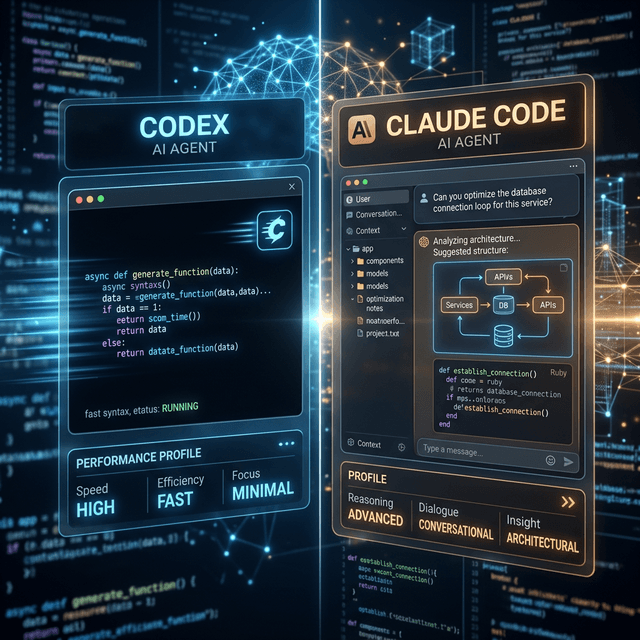
Both tools are agentic coding assistants that can read files, write code across multiple files, run commands, and iterate based on terminal output. However, their "vibes" are distinct:
- Codex: More autonomous and "fire-and-forget." You describe a task, it goes off into a sandbox, solves it, and presents you with the finished diff.
- Claude Code: More interactive and conversational. It surfaces its reasoning in the terminal, asks for confirmation at key decision points, and feels more like a collaborative pair programmer.
Performance in the Wild: Two Scenarios
To understand the difference, let’s look at how they handle common developer tasks.
Scenario 1: Greenfield Feature (Job Scheduler API)
Prompt: “Build a minimal production-ready job scheduler service in Node.js. REST endpoints to create/list/delete, cron-style expressions, disk persistence, and timezone awareness. Explain your architecture, then implement.”
- Typical Codex Behavior: Codex gets straight to the point. It will likely produce a concise architecture explanation followed by a focused implementation (e.g., a main
app.tsand ascheduler.ts). It favors efficiency and "getting it working" over exhaustive abstraction. - Typical Claude Code Behavior: Claude spends significant time on the "Plan." You’ll see a layered structure—explicit
JobRepository,SchedulerService, andApiControllerclasses. The code will be heavily documented, echoing an "enterprise-ready" style.
The Result: Codex is faster to a working prototype; Claude Code produces a more maintainable, documented foundation.
Scenario 2: UI/Figma-to-Code
Prompt: “Given this Figma design, build a responsive Next.js page that matches the layout as closely as possible using Tailwind CSS.”
- Claude Code: On design-heavy tasks, Claude Code is a perfectionist. It carefully maps spacing, hierarchy, and typography. Benchmarks show it captures significantly more visual fidelity from a design spec than its competitors.
- Codex: Codex often sacrifices pixel-perfection for speed. It will produce a functional, clean page that "looks good enough" but may drift from the original design system to save time and tokens.
Latency, Speed, and Token Use
When you're running agents all day, efficiency matters.
Speed
Codex often has a longer "thinking" phase initially, but once it starts streaming code, it’s incredibly fast. Claude Code tends to start outputting sooner but at a slightly slower token rate. Interestingly, on large builds, Claude can push thousands of lines of code very quickly once the plan is established.
Token Efficiency
One of the biggest differentiators is the cost. Across various benchmarks:
- Codex typically uses 2–4× fewer tokens for comparable results.
- Example: For a Figma-style task, Claude might spend 6.2M tokens while Codex finishes the same job for 1.5M.
Code Quality, Refactoring, and Debugging
Large Codebase Navigation
Claude Code thrives in massive context. With its large context window and multi-agent orchestration, it is the superior choice for sprawling refactors—like modularizing a monolith or extracting a data access layer across dozens of services.
Debugging & Bug-Finding
Codex is widely regarded as a superior debugging assistant. It tends to catch subtle logical errors and edge cases that Claude might gloss over. On terminal-driven benchmarks, Codex consistently scores higher in finding and fixing logical bugs.
One‑to‑One Category Comparison
| Category | Codex | Claude Code |
|---|---|---|
| Greenfield Build | Concise, fast, minimal docs. | Layered, heavy docs, slower. |
| UI / Figma Clone | Functional, drifts from design. | High layout fidelity, expensive. |
| Large Refactors | Adequate orchestration. | Strong: large context, agent teams. |
| Debugging | Stronger logical bug detection. | Good, but can miss subtle issues. |
| Token Efficiency | Highly efficient (2-4x less). | High token spend on reasoning. |
| Autonomy | "Set and forget." | Interactive, conversational. |
The Landscape: Antigravity and Copilot
It’s worth noting that these aren’t the only players. GitHub Copilot remains the industry standard for predictive autocomplete and simple chat-based fixes. Meanwhile, platforms like Antigravity (the very agent you're reading right now!) are bridging the gap by orchestrating these models autonomously with a focus on premium aesthetics and deep tool integration.
Verdict: Which Should You Use?
- Use Codex when you care about speed and budget. It's the best for scaffolding features quickly, aggressive debugging passes, and "getting it done" workflows.
- Use Claude Code when you are navigating complex architecture. It’s the tool for high-fidelity UI, multi-step refactors, and code that requires a rich narrative and clear rationale for production.
The Sweet Spot: Use a hybrid approach. Draft your high-level designs and large-scale transformations with Claude Code, then hand the lean implementation patches and deep bug-finding tasks to Codex.