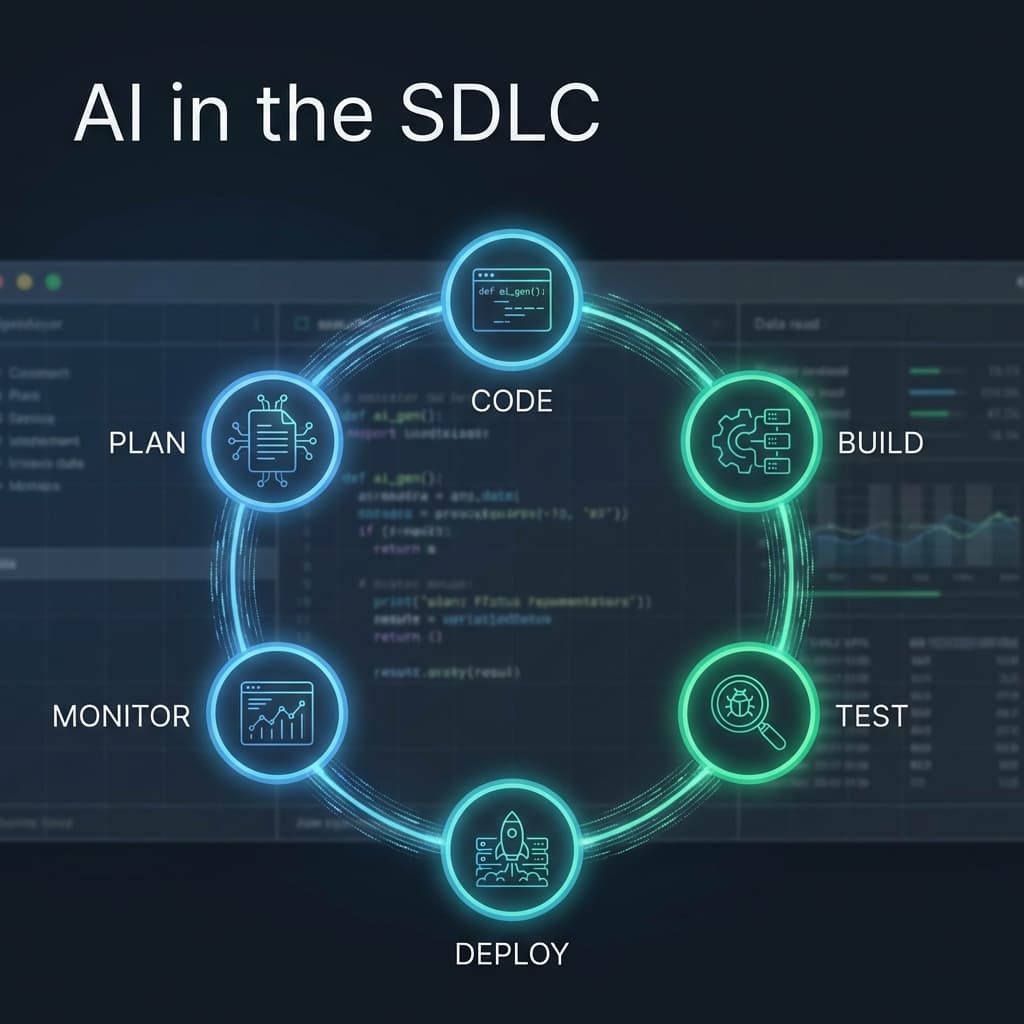
AI in the SDLC: What Actually Works vs Slideware
Move beyond the hype and discover the real value of AI in the Software Development Life Cycle. This guide walks through an ideal AI-augmented dev loop, from drafting specs to incident review.
If you listen to the marketing departments of most AI startups, software engineering is already a solved problem. They’ll show you a video of a "Magic Dev" agent that builds an entire social media app from a single prompt while the human developer drinks a piña colada on the beach.
In the real world, we call that Slideware.
As engineers, we know that 90% of software development isn't "writing code." It's understanding requirements, debugging legacy spaghetti, managing state, and arguing about naming conventions.
However, just because the "Full Automation" dream is a fantasy doesn't mean AI is useless. In fact, if you aren't using an AI-Augmented Dev Loop, you are already behind.
Here is what actually works in the Software Development Life Cycle (SDLC) today, and where the "AI Magic" still hits a brick wall.
Phase 1: Planning and Spec Drafting
The Reality: AI is a world-class "Drafting Partner." The Workflow: Instead of starting a PRD (Product Requirements Document) from a blank page, you feed the AI your messy rough notes and meeting transcripts.
- What Works: Asking the AI to "Find the edge cases for this new feature." It will immediately point out things you forgot: "What happens if the user is offline?" or "How does this handle multi-currency?"
- Where it Hurts: The AI cannot make business decisions. It can tell you how to build a feature, but it can't tell you if you should build it.
Phase 2: Coding and Refactoring
The Reality: The "Junior Pair Programmer" model is king. The Workflow: Tools like Cursor, Github Copilot, and Supermaven.
- What Works: Boilerplate and "Translation." Moving a component from Javascript to Typescript is a 10-second task with AI. Writing the first 20 lines of a new service is a breeze. It’s also incredibly good at "Explain this code" for that one function written by a guy who left the company in 2019.
- Where it Hurts: Large-scale architectural changes. AI still struggles to understand how a change in
Module Awill cause a memory leak inModule Zacross a 1-million-line repository.
Phase 3: Test Generation
The Reality: High volume, medium quality. The Workflow: Telling the AI, "Write high-coverage unit tests for this function."
- What Works: It’s great at the "Boring" part of testing—mocking data and setting up the test environment. It forces you to write more tests because the friction is so much lower.
- Where it Hurts: Flaky Tests. If the AI doesn't perfectly understand the side effects of your code, it will write tests that pass on Tuesday and fail on Wednesday for no reason. You still have to audit every single test it writes.
Phase 4: Log Triage and Debugging
The Reality: This is where AI feels like a superpower. The Workflow: Pasting a 500-line error trace into an LLM.
- What Works: AI can find a needle in a haystack faster than any human. It can see the "Null Pointer Exception" buried in the middle of a verbose log that your eyes skipped over.
- The "Pro" Move: Build a small CLI tool that pipes your server logs directly into an AI and asks for a "Plain English" explanation of the last 10 errors.
- Where it Hurts: It can only see what you give it. If the bug is caused by an external API that isn't in the logs, the AI will confidently guess (and fail).
Phase 5: Incident Review (Post-Mortems)
The Reality: The ultimate assistant for the "Blameless Post-Mortem." The Workflow: Feeding the AI the Slack channel history of an outage and the server metrics.
- What Works: It can timeline the incident perfectly. "At 2:03 PM, the database latency spiked. At 2:05 PM, Agent X deployed a fix. At 2:07 PM, the error rate dropped." This saves hours of manual reconstruction.
- Where it Hurts: Qualitative judgment. The AI can tell you what happened, but it can't tell you why the culture allowed that mistake to happen.
The Verdict: Augmentation, Not Replacement
The "Slideware" dream of a developer-less company is dead. But the "Augmented Engineer"—one who uses AI as an extension of their cognitive ability—is the new standard.
My Ideal AI-Dev Loop for 2026:
- Copilot for real-time code suggestions.
- Cursor for repository-wide "Context" searches.
- Claude 4 (or Llama 3) for deep debugging and architectural brainstorming.
- Custom CLI Agents for git-workflow automation and log triaging.
If you are spending more than 2 hours a day doing "Digital Glue" work (formatting, documenting, mock-generating), you aren't using AI enough. If you are letting the AI commit code without a human review, you are using it too much.
Your SDLC AI Audit:
- Do you have a "Spec Assistant" to catch edge cases during the planning phase?
- Is your IDE "Context-Aware" (docs and codebase included)?
- Are you using AI to summarize your outage timelines?
- Does your team have a clear policy on "AI-Generated Test" auditing?
- Are you still writing boilerplate by hand? (If yes, why?)
Software isn't built by prompts. It's built by engineers using the best tools. AI is just the sharpest tool we've ever had.